
Can a simple text file really help ChatGPT, Gemini, and other AI tools understand your website better or is llms.txt just another overhyped SEO trend?
As AI-powered search continues to grow, llms.txt has quickly become one of the most talked topics in the SEO world. Some experts believe it’s the next step AI powered optimization, while others argue it offers little to no real benefit.
So, what’s the truth?
In this guide, we’ll break down what llms.txt actually is, why it’s creating so much buzz, whether it can improve your website’s AI visibility, and what you should focus on if you want to stay ahead in the age of AI.
So, What Exactly Is llms.txt?
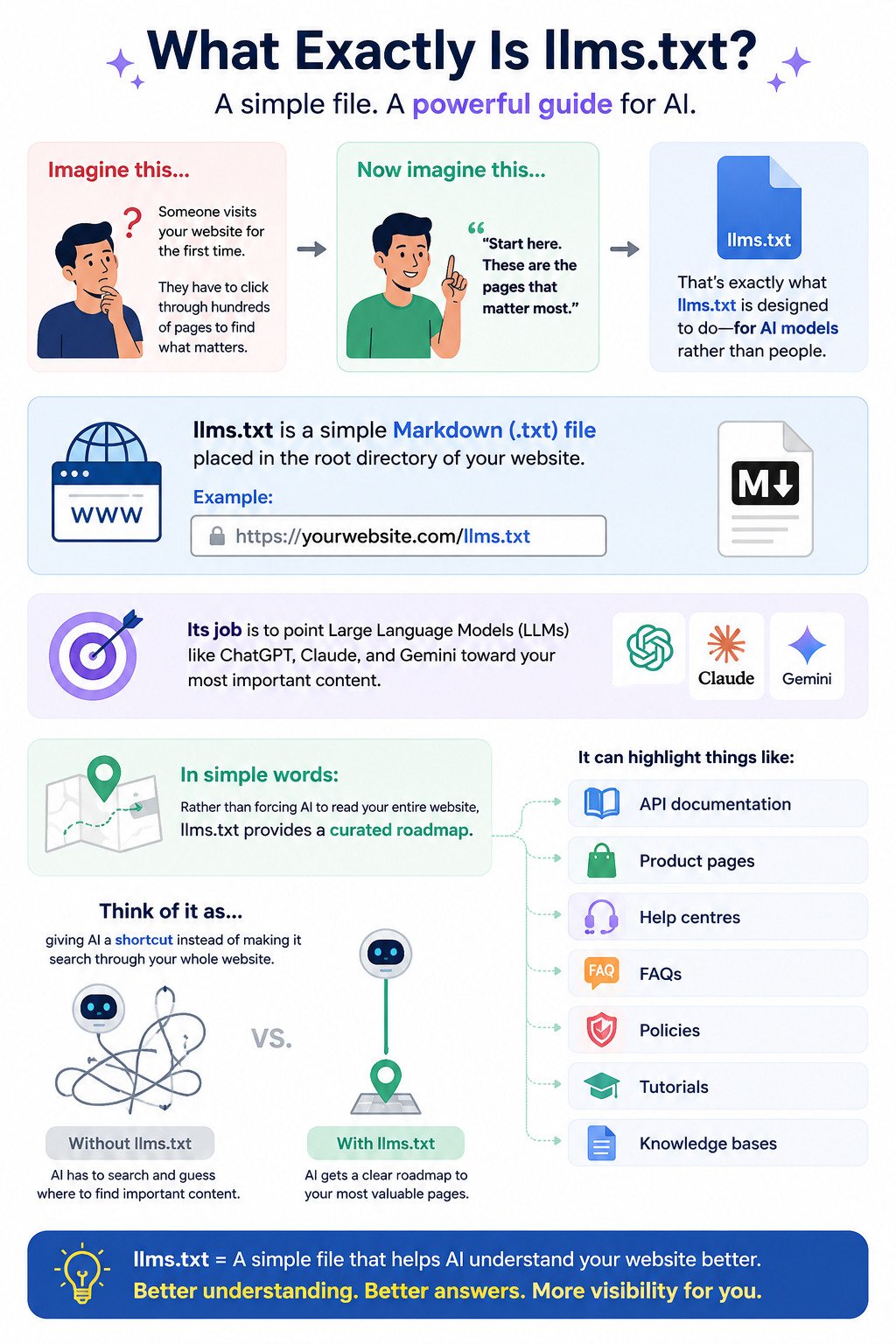
Imagine someone visits your website for the first time, instead of letting them wander through hundreds of pages trying to understand your business, you hand them a simple guide that says:
“Start here. These are the pages that matter most.”
That’s essentially what llms.txt is designed to do but it’s for AI models. It is a simple Markdown (.txt) file placed in the root directory of your website.
Example: https://yourwebsite.com/llms.txt
Its job is to point Large Language Models (LLMs) like ChatGPT, Claude, and Gemini toward your most important content.
In simple words, rather than forcing AI to read your entire website, llms.txt provides a curated roadmap.
It can highlight things like:
- API documentation
- Product pages
- Help centres
- FAQs
- Policies
- Tutorials
- Knowledge bases
Think of it as giving AI a shortcut instead of making it search through your whole website.
[AI GENERATED INFOGRAPHICS]
Why Was llms.txt Created?
llms.txt wasn’t originally created to improve SEO.
It was proposed in September 2024 by AI researcher Jeremy Howard, who noticed a practical problem with modern websites.
Today’s websites are packed with:
- JavaScript
- Cookie banners
- Navigation menus
- Advertisements
- Tracking scripts
- Pop-ups
- Styling code
When an AI model tries to read a webpage, it has to sift through all this extra information before reaching the actual content. Since AI models have limited context windows, this process can be inefficient and expensive.
The idea behind llms.txt was simple, provide a clean, structured map of the website so AI can quickly find the pages that matter most.
Originally, it was intended for:
- Software documentation
- API references
- Developer guides
- Technical knowledge bases
Not for boosting SEO rankings.
So, Why Is Everyone Suddenly Talking About It?
If llms.txt wasn’t designed for SEO, why has it become such a hot topic?
The answer lies in how people search for information today.
Instead of typing every question into Google, millions of users now ask AI assistants like ChatGPT, Claude, Gemini, and Perplexity.
So, businesses naturally want these AI tools to understand their websites, mention their brands, and recommend their products.
That has led many marketers to ask:
“Can llms.txt help AI understand my website better?”
The excitement grew even more when, –
- WordPress plugins began generating llms.txt files automatically.
- Google introduced an experimental Lighthouse audit that checks for llms.txt.
- More companies started publishing llms.txt files on their websites.
For many people, this looked like proof that llms.txt was becoming essential. But appearances can be misleading.
Does Google Actually Recommend llms.txt?
This is where the confusion begins.
Google has acknowledged llms.txt by including an experimental check in Lighthouse for Agentic Browsing, which sparked widespread speculation.
However, Google has also made it clear that:
- You do not need an llms.txt file to appear in AI-powered search experiences.
- It is not a ranking factor.
- Existing standards like robots.txt and sitemap.xml remain the primary tools for search crawling and indexing.
Google’s Search Advocate, John Mueller, has even suggested that llms.txt is mainly useful for certain documentation workflows and AI coding tools are not something the average website owner should lose sleep over.
Google’s experimentation with llms.txt should not be mistaken for a recommendation that every website must implement it.
How Do You Create and Implement llms.txt?
You don’t need a complicated setup to create an llms.txt file. At its simplest, you need a Markdown text file named llms.txt, containing a short description of your website and links to your most important content.
A basic file can include:
# Your Company

> A short description of what your company does.

## Services

- [Web Development](https://yourdomain.com/web-development)
- [AI Solutions](https://yourdomain.com/ai-solutions)

## Resources

- [Blog](https://yourdomain.com/blog)
- [Case Studies](https://yourdomain.com/case-studies)
The idea is to keep it clear, useful, and focused rather than filling it with every URL on your website.
- Create a file named
llms.txt. - Write your content in Markdown. Include:
- Your company name and a short description.
- Links to important pages like services, blogs, or case studies.
- Important facts about your business.
- Simple rules for how AI can use your content.
- Upload the file to your domain root:
yourdomain.com/llms.txt- Next.js: Put it in the
/publicfolder. - WordPress: Upload it to the server root.
- Next.js: Put it in the
- Test it by opening
yourdomain.com/llms.txtin your browser and checking that the file loads correctly.
Well, the exact location depends on how you built your website:
| Platform | Where to place llms.txt |
|---|---|
| Next.js | Place it in the /public folder |
| WordPress | Upload it to the server root |
| Other websites | Place it in the root directory of your domain |
For example:
Correct:https://yourdomain.com/llms.txt
The goal is simple: make the file easy for compatible AI systems to find.
Which AI Systems Read llms.txt?
Now, this is where things become more complicated.
Different AI platforms handle llms.txt differently, and support continues to evolve. Based on the information provided for this article, the current picture looks like this:
| AI systems | llms.txt support | What the provided data says |
| Claude (Anthropic) | Yes | Direct support for the standard |
| Perplexity | Yes | Uses it when indexing websites |
| ChatGPT | Partial | Not officially confirmed, but may index the file |
| Google Gemini | Not officially | No confirmed support |
| Bing Copilot | No | No official support |
The important point is that having an llms.txt file does not guarantee that every AI system will read it.
That’s why you shouldn’t treat it as a replacement for SEO, your sitemap, or your website’s actual content.
Instead, think of it as another way to organise your information for AI systems that choose to use it.
The future of SEO and GEO aren’t about chasing every new trend; it’s about making your website easier for both people and AI to understand. Think of llms.txt as a helpful addition, not a shortcut to success. As AI search continues to evolve, websites that priorities clarity, quality, and user value will always stay one step ahead.
Related topics: https://whyhowandwhat.com/why/why-geo-is-gradually-overtaking-seo-how-it-works-and-what-the-future-looks-like/
REFERENCES:
- Rafał Fuchs. llms.txt: what it is, why it matters and how to implement it.
- The wonderful and terrifying implications of computers that can learn by Jeremy Howard
- LLMS.TXT by Chrome developers.
 Shreyan
 Kavya
Kavya